
Overview
오늘날 기업과 서비스는 초당 수천~수백만 건의 로그, 이벤트, 거래 데이터를 실시간으로 처리하고 분석해야 한다.
이런 대용량 데이터를 기존 방식으로 처리하는 데에는 속도, 유연성, 통합성의 한계가 있었다.
이 문제를 해결하고자 등장한 것이 Apache Spark이다.
Apache Spark는 대용량 데이터를 메모리 기반으로 빠르게 처리할 수 있도록 설계된 오픈소스 분산 처리 프레임워크이다.
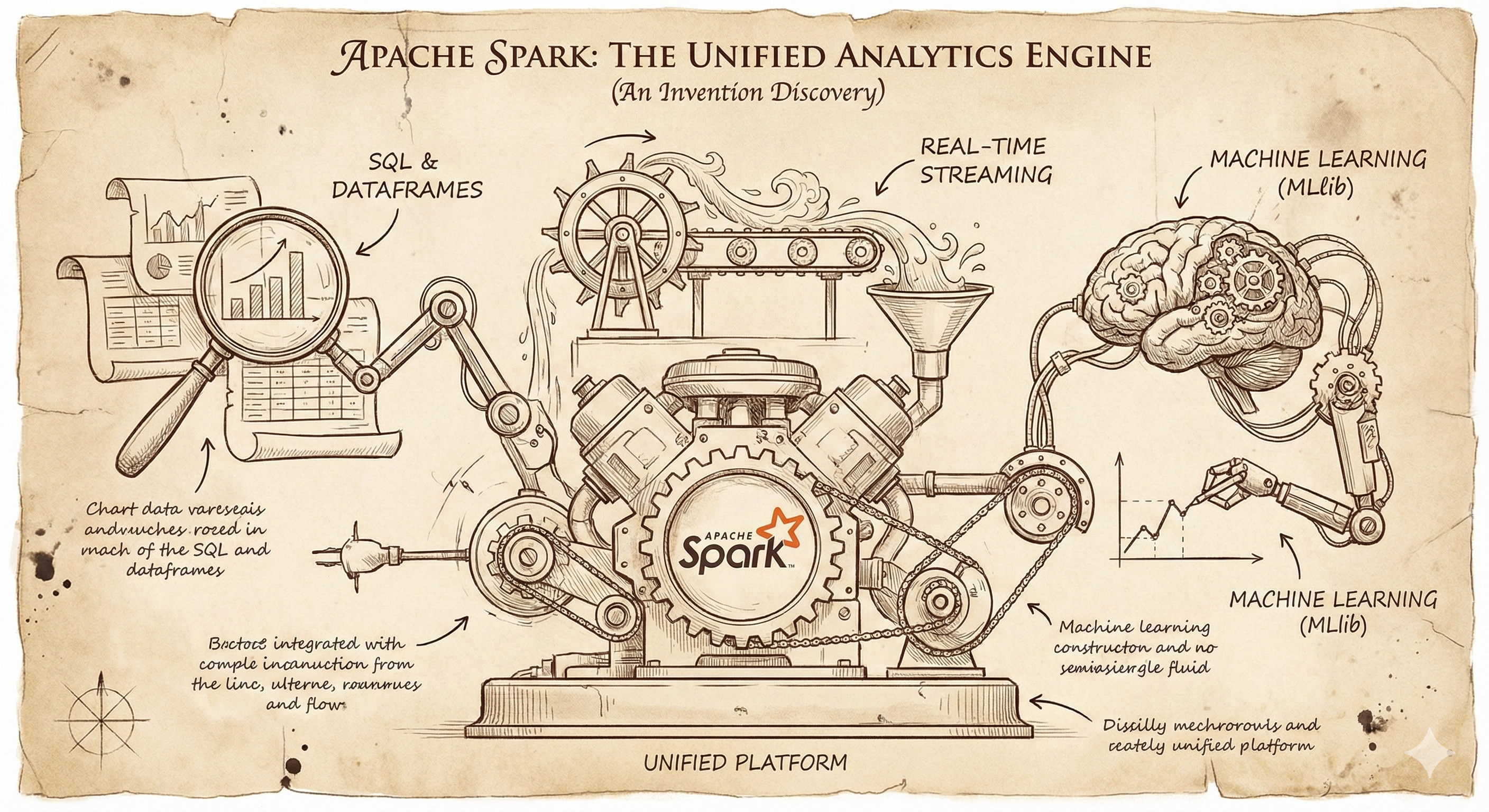
단순히 배치 처리에 그치지 않고, 실시간 스트리밍, 머신러닝, SQL 분석까지 하나의 플랫폼에서 통합적으로 처리할 수 있는 것이 가장 큰 장점이다.
이 글에서는 Spark의 개념부터 아키텍처, 실습 환경, Hadoop과의 비교, 실전 활용 사례까지 폭넓게 소개한다.
“데이터가 많다고 느껴지는 순간, Spark는 분명 도움이 되는 도구이다.”
Apache Spark란?
Apache Spark는 대용량 데이터를 빠르게 처리하기 위한 오픈소스 분산 처리 프레임워크이다.
기존 Hadoop MapReduce보다 메모리 기반 처리(in-memory computation) 방식으로 훨씬 빠르고 유연한 분석이 가능하다.
“데이터를 나누고 동시에 처리한다”는 분산 처리의 핵심을 유지하면서도, 훨씬 더 직관적인 API와 높은 성능을 제공한다.
Spark의 핵심 구성요소
| 컴포넌트 | 설명 |
| RDD (Resilient Distributed Dataset) | 불변(immutable)한 분산 컬렉션. Spark의 기본 단위. |
| DataFrame / Dataset | RDD보다 더 높은 추상화. SQL처럼 다룰 수 있고 최적화도 잘 됨. |
| Spark SQL | SQL 문법으로 데이터 분석 가능. Hive 연동도 지원. |
| Spark Streaming | 실시간 데이터 스트리밍 처리. Kafka와 자주 함께 사용됨. |
| MLlib | 머신러닝 라이브러리. 분산 학습 지원. |
| GraphX | 그래프 처리용 API. Social Graph, Recommendation 등에 활용 |
Spark 아키텍처 이해
Spark 애플리케이션은 Driver와 여러 Executor로 구성된다.
- Driver: 애플리케이션의 실행 계획(DAG)을 생성하고 관리
- Executor: 실제 데이터를 계산하는 워커 노드
- Cluster Manager: 자원 할당을 담당 (YARN, Mesos, Standalone, Kubernetes 등)
Spark는 Lazy Evaluation을 통해 최적화된 DAG를 구성한 뒤 실행하므로 불필요한 작업을 줄이고 성능을 향상시킨다.
Spark vs Hadoop: 왜 Spark인가?
| 항목 | Hadoop MapReduce | Apache Spark |
| 처리 방식 | 디스크 기반 (느림) | 메모리 기반 (빠름) |
| 코드 복잡도 | Map, Reduce 직접 구현 | SQL, DataFrame, 함수 기반 간결한 코드 |
| 스트리밍 지원 | 외부 시스템 필요 | 내장된 Structured Streaming |
| 머신러닝 지원 | Mahout 등 외부 연동 | MLlib 내장 |
Spark 실습 환경
로컬 설치
# Spark 설치 및 실행
wget https://downloads.apache.org/spark/spark-4.0.0/spark-4.0.0-bin-hadoop3.tgz
tar -xzf spark-4.0.0-bin-hadoop3.tgz
cd spark-4.0.0-bin-hadoop3
./bin/spark-shell
클라우드 환경
- Databricks: 가장 인기 있는 Spark 관리형 서비스
- AWS EMR: Amazon의 Hadoop/Spark 클러스터 서비스
- Google Dataproc: Google Cloud의 Spark 서비스
- Azure HDInsight: Microsoft의 빅데이터 플랫폼
Spark 실전 코드 예제
PySpark 기본 예제
from pyspark.sql import SparkSession
from pyspark.sql.functions import col, count, avg

# SparkSession 생성
spark = SparkSession.builder \
    .appName("DataAnalysis") \
    .config("spark.sql.adaptive.enabled", "true") \
    .getOrCreate()

# 데이터 읽기
df = spark.read.option("header", "true").csv("sales_data.csv")

# 기본 분석
df.select("product_category", "sales_amount") \
  .groupBy("product_category") \
  .agg(count("*").alias("count"), avg("sales_amount").alias("avg_sales")) \
  .orderBy(col("avg_sales").desc()) \
  .show()

# SQL 사용
df.createOrReplaceTempView("sales")
result = spark.sql("""
    SELECT product_category,
           COUNT(*) as total_orders,
           AVG(sales_amount) as avg_amount
    FROM sales
    WHERE sales_amount > 100
    GROUP BY product_category
    ORDER BY avg_amount DESC
""")
result.show()
실시간 스트리밍 예제
# Kafka에서 실시간 데이터 처리
streaming_df = spark \
    .readStream \
    .format("kafka") \
    .option("kafka.bootstrap.servers", "localhost:9092") \
    .option("subscribe", "user-events") \
    .load()

# JSON 파싱 및 집계
from pyspark.sql.functions import from_json, window
from pyspark.sql.types import StructType, StringType, TimestampType

schema = StructType() \
    .add("user_id", StringType()) \
    .add("event_type", StringType()) \
    .add("timestamp", TimestampType())

processed_stream = streaming_df \
    .select(from_json(col("value").cast("string"), schema).alias("data")) \
    .select("data.*") \
    .groupBy(window(col("timestamp"), "10 minutes"), col("event_type")) \
    .count()

query = processed_stream \
    .writeStream \
    .outputMode("update") \
    .format("console") \
    .start()

query.awaitTermination()
성능 최적화 핵심 팁
1. 파티셔닝 전략
# 적절한 파티션 수 설정
spark.conf.set("spark.sql.adaptive.coalescePartitions.enabled", "true")
spark.conf.set("spark.sql.adaptive.advisoryPartitionSizeInBytes", "128MB")

# 데이터 저장 시 파티셔닝
df.write \
  .partitionBy("year", "month") \
  .mode("overwrite") \
  .parquet("partitioned_data")
2. 캐싱 활용
# 반복 사용되는 DataFrame 캐싱
df_cached = df.filter(col("status") == "active").cache()
df_cached.count()  # 캐시에 저장
df_cached.groupBy("category").count().show()  # 캐시에서 읽기
3. 브로드캐스트 조인
from pyspark.sql.functions import broadcast

# 작은 테이블을 브로드캐스트하여 조인 성능 향상
large_df.join(broadcast(small_df), "key").show()
실전 활용 사례
1. 로그 분석 시스템
# 웹 로그 실시간 분석
log_schema = StructType() \
    .add("timestamp", TimestampType()) \
    .add("ip", StringType()) \
    .add("url", StringType()) \
    .add("status_code", StringType())

# 실시간 이상 탐지
anomaly_detection = log_df \
    .groupBy(window(col("timestamp"), "5 minutes"), col("ip")) \
    .count() \
    .filter(col("count") > 1000)  # 5분간 1000건 이상 요청

anomaly_detection.writeStream \
    .outputMode("append") \
    .format("delta") \
    .option("path", "/alerts/anomalies") \
    .start()
2. 추천 시스템 데이터 준비
from pyspark.ml.recommendation import ALS
from pyspark.ml.evaluation import RegressionEvaluator

# 사용자-상품 평점 데이터 준비
ratings = spark.read.csv("ratings.csv", header=True, inferSchema=True)

# ALS 모델 학습
als = ALS(userCol="user_id", itemCol="product_id", ratingCol="rating")
model = als.fit(ratings)

# 추천 생성
user_recs = model.recommendForAllUsers(10)
user_recs.show()
3. ETL 파이프라인
def extract_transform_load():
    # Extract: 다양한 소스에서 데이터 추출
    sales_df = spark.read.jdbc(url="jdbc:mysql://...", table="sales")
    users_df = spark.read.json("s3://bucket/users/")

    # Transform: 데이터 정제 및 변환
    cleaned_sales = sales_df \
        .filter(col("amount") > 0) \
        .withColumn("date", to_date(col("sale_timestamp")))

    result = cleaned_sales.join(users_df, "user_id") \
        .groupBy("date", "user_segment") \
        .agg(
            sum("amount").alias("total_sales"),
            countDistinct("user_id").alias("unique_users")
        )

    # Load: 결과 저장
    result.write \
        .mode("overwrite") \
        .option("path", "s3://warehouse/daily_sales/") \
        .saveAsTable("analytics.daily_sales")

# 스케줄링과 함께 실행
extract_transform_load()
클러스터 설정 및 배포
Standalone 클러스터 구성
# Master 노드 시작
./sbin/start-master.sh

# Worker 노드 시작
./sbin/start-slave.sh spark://master-node:7077

# 애플리케이션 제출
./bin/spark-submit \
    --class org.example.SparkApp \
    --master spark://master-node:7077 \
    --deploy-mode cluster \
    --executor-memory 4g \
    --total-executor-cores 8 \
    app.jar
YARN 클러스터에서 실행
# YARN에서 Spark 실행
./bin/spark-submit \
    --master yarn \
    --deploy-mode cluster \
    --num-executors 10 \
    --executor-memory 4g \
    --executor-cores 2 \
    --driver-memory 2g \
    --conf spark.sql.adaptive.enabled=true \
    --conf spark.sql.adaptive.coalescePartitions.enabled=true \
    my_app.py
모니터링 및 디버깅
1. Spark UI 활용
# 애플리케이션 실행 중 Spark UI 접근
# http://driver-node:4040

# 주요 확인 사항:
# - Jobs 탭: 작업 실행 상태 및 시간
# - Stages 탭: 각 스테이지별 세부 정보
# - Storage 탭: 캐시된 RDD/DataFrame 정보
# - Executors 탭: 익스큐터 리소스 사용량
2. 로그 레벨 설정
# 로그 레벨 조정
spark.sparkContext.setLogLevel("WARN")

# 상세한 실행 계획 확인
df.explain(True)  # 물리적 실행 계획까지 출력
3. 성능 메트릭 수집
# 메트릭 활성화
spark.conf.set("spark.sql.adaptive.enabled", "true")
spark.conf.set("spark.eventLog.enabled", "true")
spark.conf.set("spark.eventLog.dir", "/tmp/spark-events")

# 실행 시간 측정
import time
start_time = time.time()
result = df.count()
end_time = time.time()
print(f"실행 시간: {end_time - start_time:.2f}초")
데이터 포맷별 처리 방법
Parquet (추천 포맷)
# Parquet 읽기/쓰기 - 컬럼형 저장으로 성능 최적
df.write.mode("overwrite").parquet("data.parquet")
df_parquet = spark.read.parquet("data.parquet")

# 파티션 프루닝 자동 적용
df_parquet.filter(col("year") == 2024).show()
Delta Lake (ACID 트랜잭션 지원)
# Delta 테이블 생성
df.write.format("delta").mode("overwrite").save("delta-table")

# ACID 트랜잭션으로 업데이트
from delta.tables import DeltaTable
deltaTable = DeltaTable.forPath(spark, "delta-table")
deltaTable.update(
    condition = col("status") == "pending",
    set = {"status": lit("processed")}
)
JSON 데이터 처리
# 중첩된 JSON 구조 처리
from pyspark.sql.functions import explode, col

json_df = spark.read.json("nested_data.json")
flattened_df = json_df \
    .select("id", explode("items").alias("item")) \
    .select("id", "item.name", "item.price")
보안 설정
1. 인증 및 암호화
# Kerberos 인증 설정
spark = SparkSession.builder \
    .appName("SecureApp") \
    .config("spark.sql.adaptive.enabled", "true") \
    .config("spark.authenticate", "true") \
    .config("spark.network.crypto.enabled", "true") \
    .getOrCreate()
2. 데이터 마스킹
from pyspark.sql.functions import regexp_replace

# 개인정보 마스킹
masked_df = df.withColumn(
    "phone",
    regexp_replace(col("phone"), r"(\d{3})-(\d{4})-(\d{4})", r"$1-****-$3")
)
자주 발생하는 문제와 해결책
1. OutOfMemoryError
# 해결 방법: 파티션 수 조정 및 메모리 설정
spark.conf.set("spark.sql.adaptive.enabled", "true")
spark.conf.set("spark.sql.adaptive.coalescePartitions.enabled", "true")
df.repartition(200).write.parquet("output")  # 파티션 수 증가
2. 데이터 스큐 문제
# 해결 방법: 솔트 키 추가로 데이터 분산
from pyspark.sql.functions import rand, concat, lit

# 스큐된 키에 랜덤 솔트 추가
df_salted = df.withColumn("salted_key", concat(col("skewed_key"), lit("_"), (rand() * 10).cast("int")))
3. 셔플 성능 이슈
# 해결 방법: 브로드캐스트 조인 또는 버킷팅 사용
# 버킷팅으로 사전 정렬
df.write \
  .bucketBy(10, "join_key") \
  .mode("overwrite") \
  .saveAsTable("bucketed_table")
마무리
Apache Spark는 현대 빅데이터 처리의 핵심 기술로 자리잡았다.
기존 Hadoop 생태계의 복잡함과 성능 제약을 해결하면서도,
배치 처리부터 실시간 스트리밍, 머신러닝까지 하나의 통합된 플랫폼에서 처리할 수 있다는 것이 가장 큰 매력이다.
특히 메모리 기반 처리로 인한 성능 향상과 직관적인 API 덕분에 데이터 엔지니어와 데이터 사이언티스트 모두에게 친숙한 도구가 되었다.
SQL을 아는 사람이라면 Spark SQL로, Python을 다루는 사람이라면 PySpark로,
Scala 개발자라면 네이티브 Spark API로 각자에게 맞는 방식으로 접근할 수 있다.
앞으로 실시간 데이터 처리 needs가 더욱 증가할 것이고, 클라우드 네이티브 환경에서의 Spark 활용도 확대될 전망이다.
Kubernetes 지원 강화, Delta Lake와의 통합, MLflow를 통한
ML 파이프라인 자동화 등이 Spark 생태계를 더욱 풍부하게 만들고 있다.
"큰 데이터를 다루기 시작했다면, Spark는 선택이 아닌 필수가 될 것이다." 이제 시작해보자.
Reference
- Apache Spark 공식 문서: https://spark.apache.org/docs/latest/
- Spark SQL 가이드: https://spark.apache.org/docs/latest/sql-programming-guide.html
- MLlib 공식 문서: https://spark.apache.org/docs/latest/ml-guide.html
- Spark Streaming 가이드: https://spark.apache.org/docs/latest/streaming-programming-guide.html
Somaz | DevOps Engineer | Kubernetes & Cloud Infrastructure Specialist
'Data Engineering' 카테고리의 다른 글
| 대량 데이터 처리와 데이터 아키텍처 설계(OLAP & OLTP) (1) | 2025.04.29 |
|---|---|
| Data ETL Pipeline 구성 요소 및 설명 (0) | 2025.04.14 |
| Airflow란? (개념 및 설치) (0) | 2025.04.04 |